EPR Loop - Internal Compliance Portal
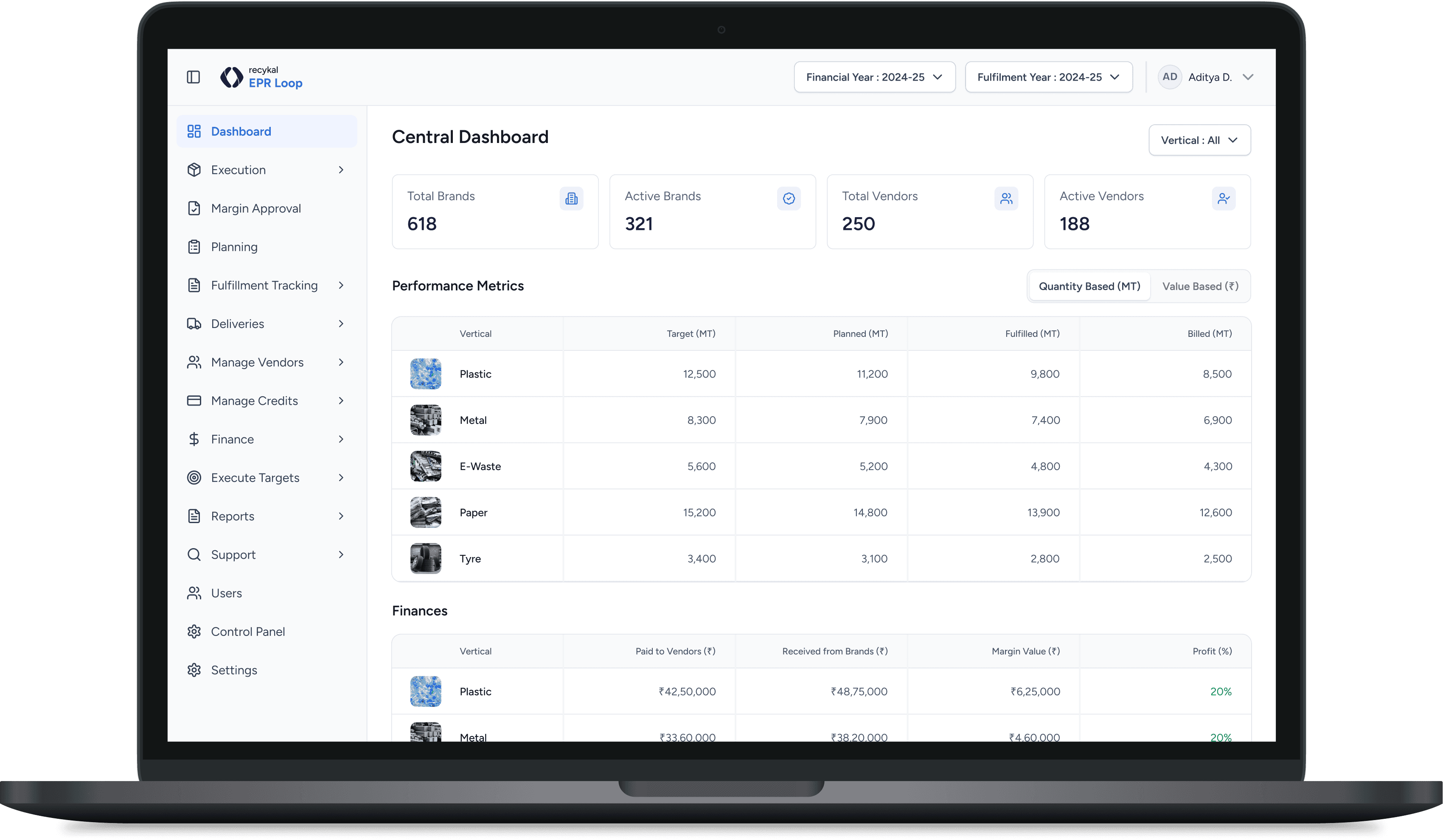
EPR Loop is an internal platform used to manage Extended Producer Responsibility (EPR) operations. It connects brands, recyclers, and internal teams to handle recycling demand, purchase orders, quantities, margins, compliance documentation, and audits of recycling credit transfers.
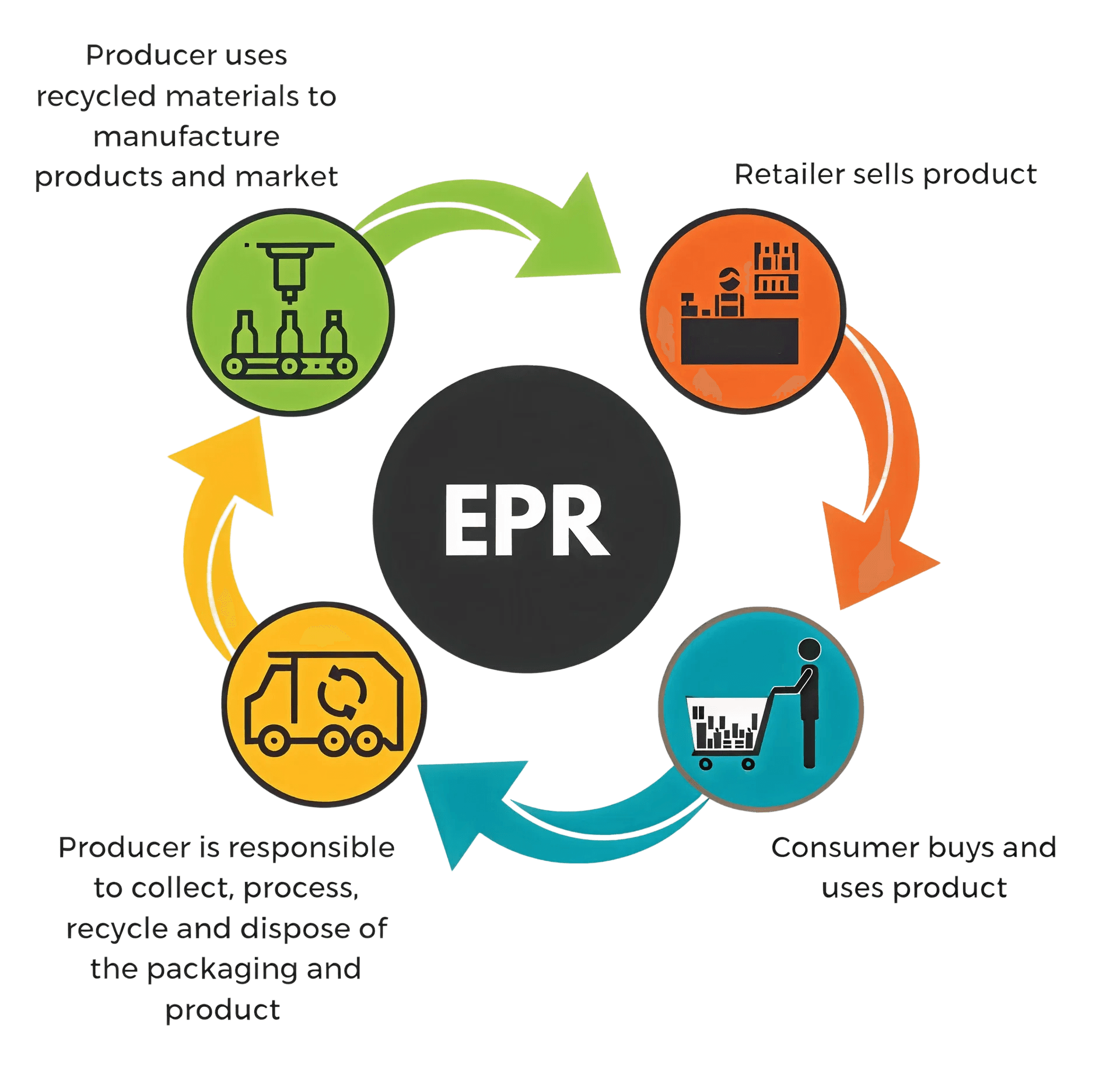
At first glance, the issues looked like typical UX problems: inconsistencies, clutter, confusing navigation. But the real problem was deeper.
Features but no system
The product had grown feature-by-feature without a foundation to hold it together
Incomplete workflows
Critical paths were disconnected, forcing users to complete work outside the platform
Missing decision data
Key information like quantity, margin, and status was not visible or accessible
No single source of truth
Teams coordinated work offline, using the platform only to "check" data when necessary
The problem was not usability alone. It was trust, structure, and capability.
As a result:
Teams coordinated work outside the system
Accountability lived in conversations, not in the product
The platform became a passive reference instead of a tool for action
I joined after the product was already live and struggling. My responsibility was not just to "improve UI," but to fundamentally rethink how the platform worked.
Diagnose Root Causes
Understand why the system failed in real usage, beyond surface-level symptoms
Restructure System
Re-architect the platform around actual workflows, not theoretical ones
Build Foundation
Define scalable design patterns that enable future growth
Enable Missing Features
Design and introduce critical workflows that were blocking adoption
Drive Adoption
Improve adoption without disrupting live operations
Collaborate Strategically
Work with PMs, tech leads, and stakeholders for feasible solutions
Living inside the product
I spent significant time inside the existing platform to understand what users could technically do, where workflows broke down, and why the UI felt unpredictable and fragile.
Benefit :
This gave me first-hand clarity on why the platform felt hard to use, even for experienced internal users.
Conversations with the original builders
I spoke with the team that had built EPR Loop to understand the original intent, constraints made along the way, and where complexity grew faster than structure.
These discussions revealed a common pattern :
The product grew feature-by-feature, without a foundation to hold it together.
After combining product exploration and team input, I consolidated the core issues:
Missing core workflows
work could not be completed end-to-end
Poor information architecture
Users couldn't form a mental model
No margin or Rate visibility
poor decision-making
No audit trail
low trust and accountability
No design system
Inconsistent UI and slow iteration
These weren't isolated UX bugs. They were systemic design failures.
I reviewed the pain points and feature gaps with:
Product managers
UX leadership
Compliance, finance, and operations teams
Engineering leads
The feedback was consistent :
The platform did not support how teams actually worked.
A full one time rebuild was not realistic.
Effort vs Impact Analysis
Mapped which changes would deliver maximum value with minimal disruption
Technical Feasibility
Validated what could realistically be built within existing constraints
Phased Rollout
Planned incremental delivery instead of a risky big-bang redesign
Building the Foundation — Design System
Fixing Structure & Navigation
Enabling Core Workflows
Drive Adoption
The guiding principle was simple:
"If a feature doesn't reduce offline work, it's not a priority."
I created a centralized design system to establish consistency, accelerate development, and provide a scalable foundation for all future work.
Unified Language
Consistent visual patterns across the entire platform
Development Speed
Reusable components accelerated feature delivery
Future-Proof
Scalable foundation for all future features
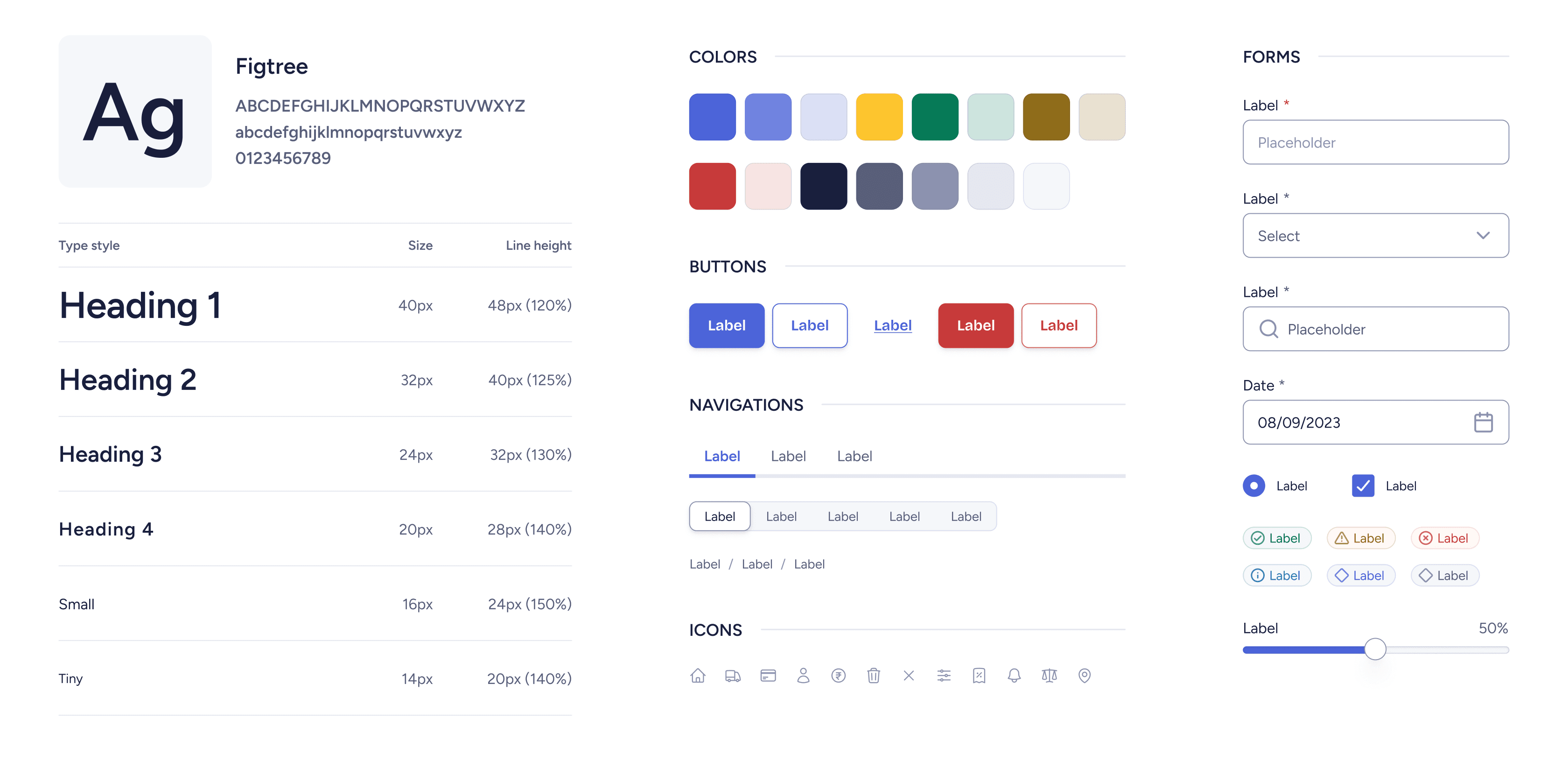
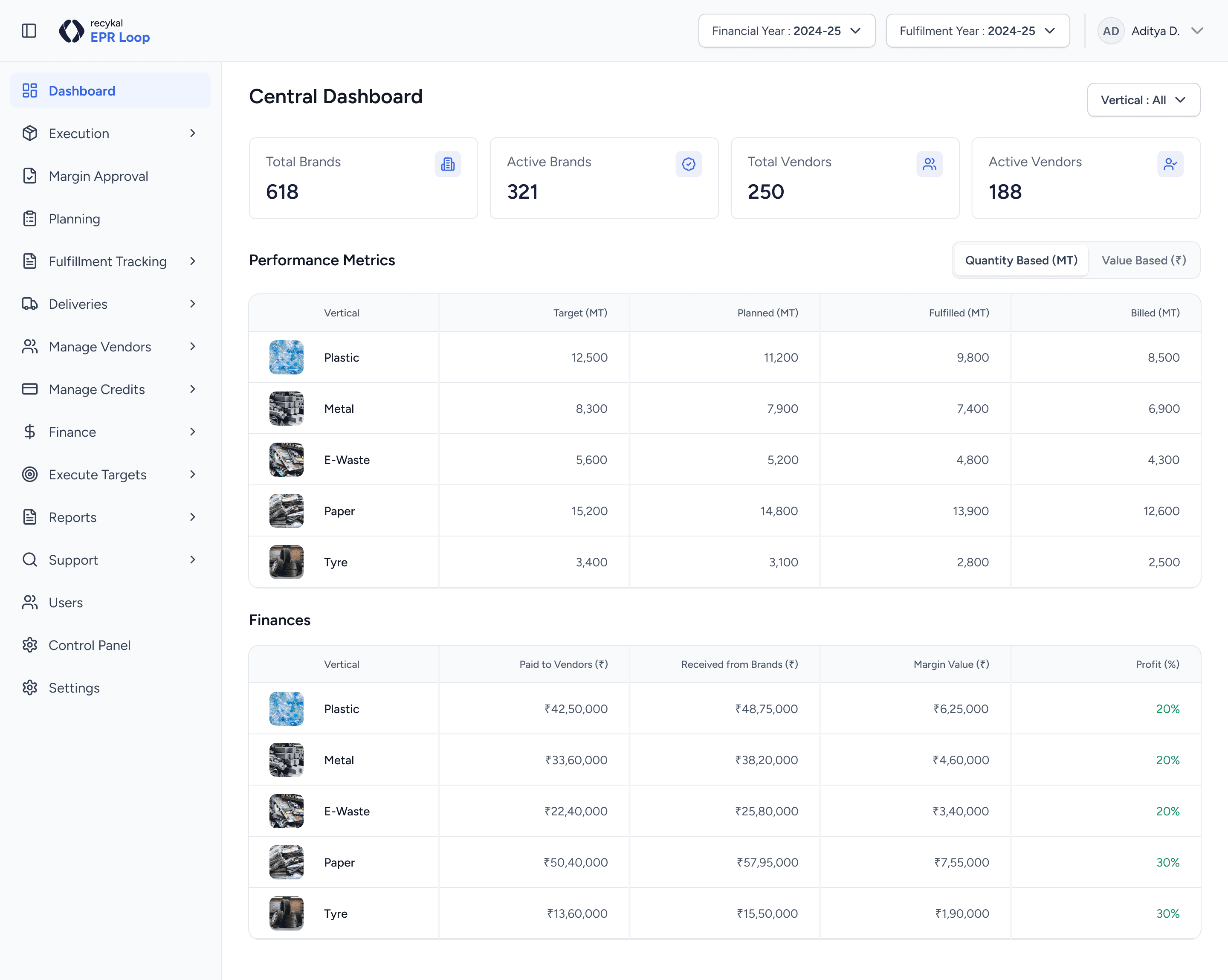
I reworked the platform's information architecture to align with real workflows, improve feature discoverability, and reduce cognitive load.
Workflow-aligned structure
Improved discoverability
Reduced cognitive load
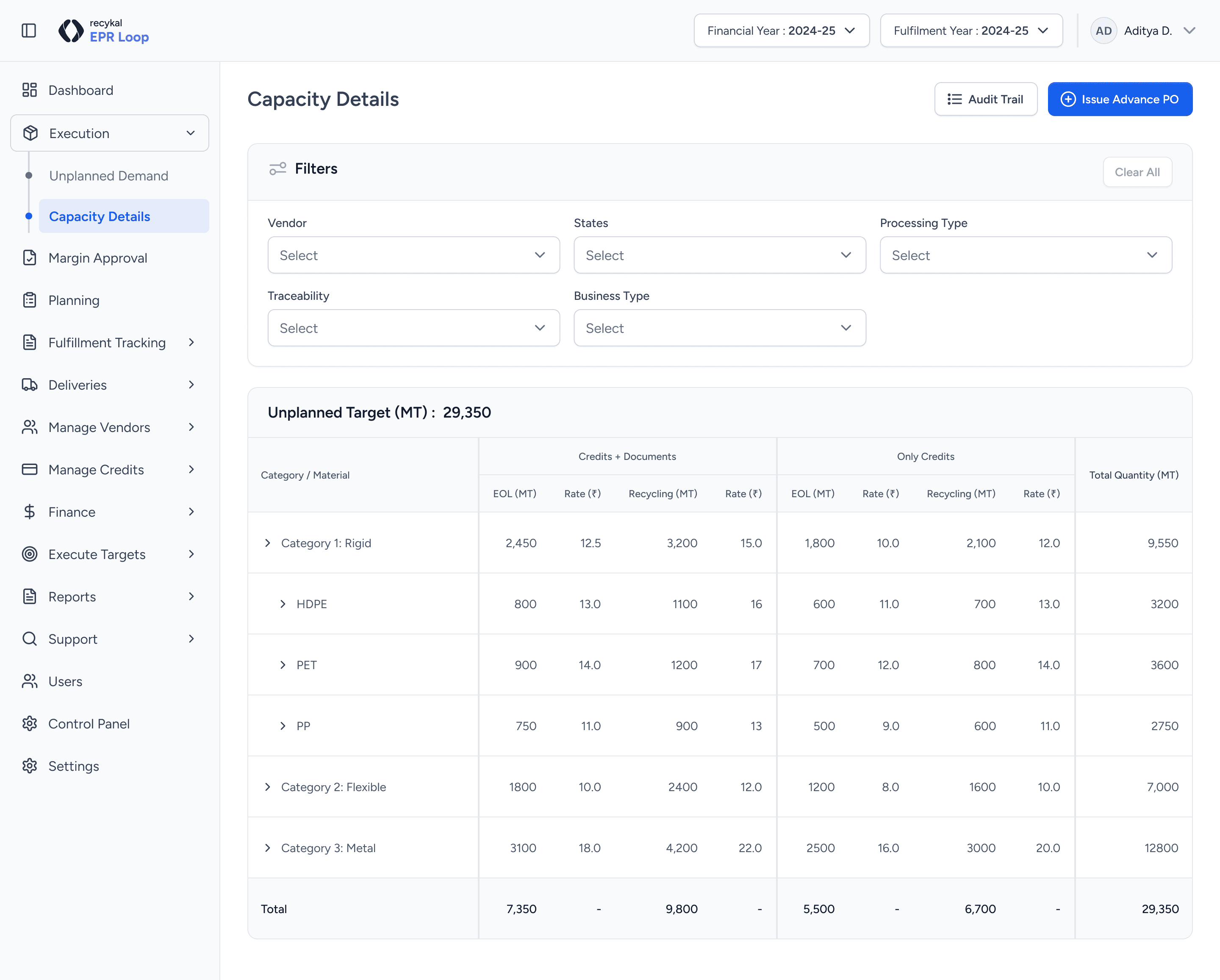
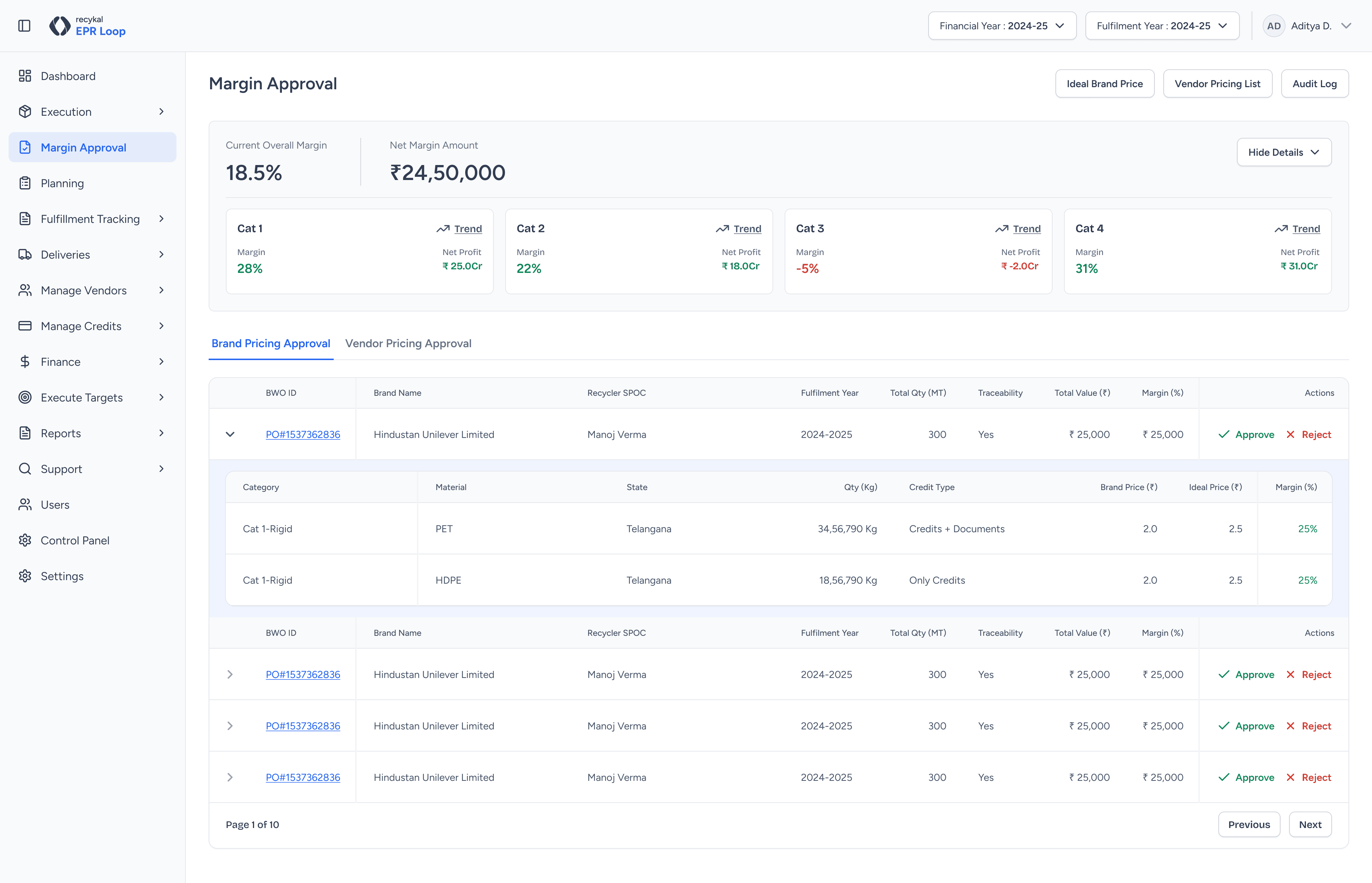
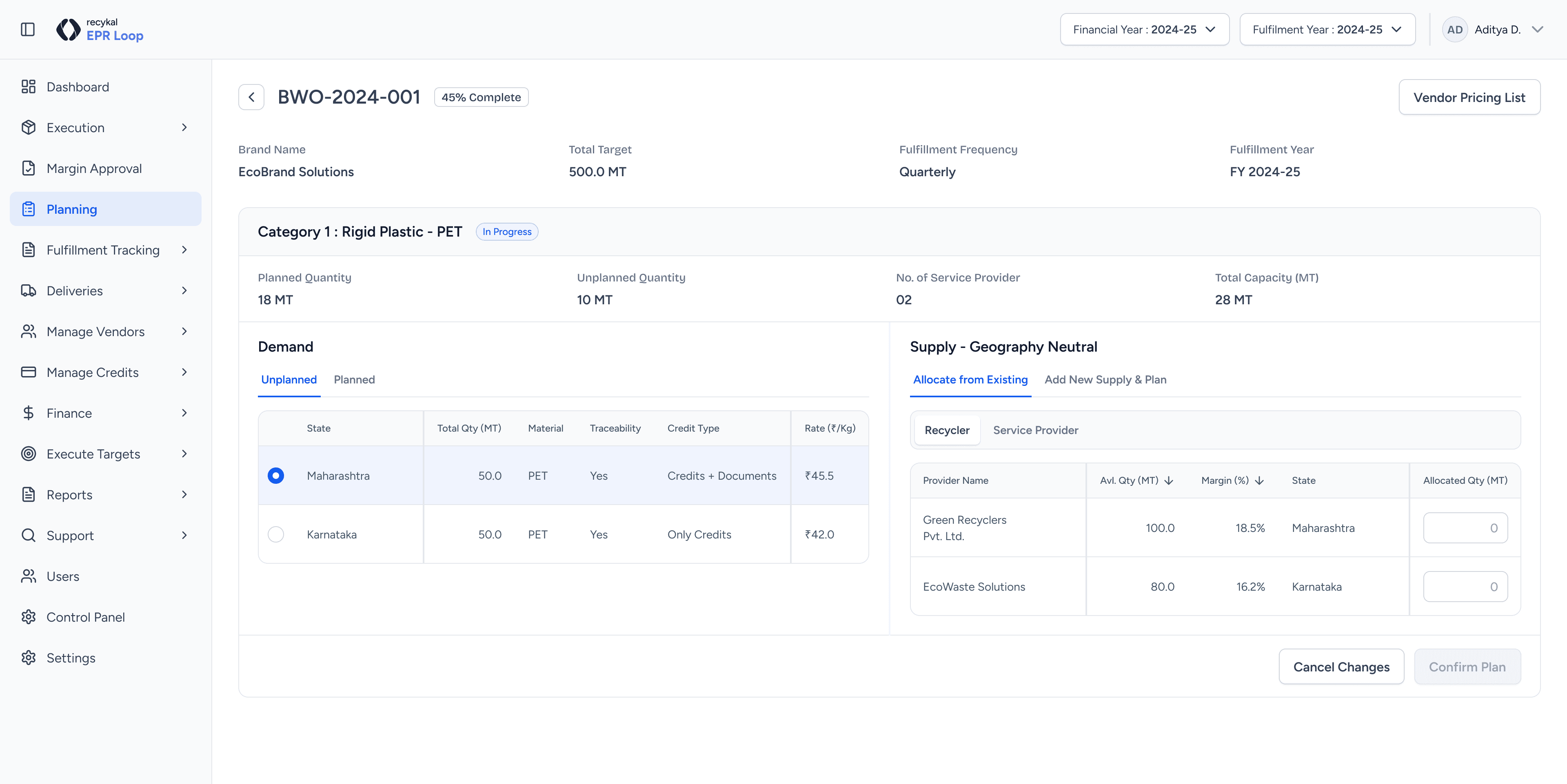
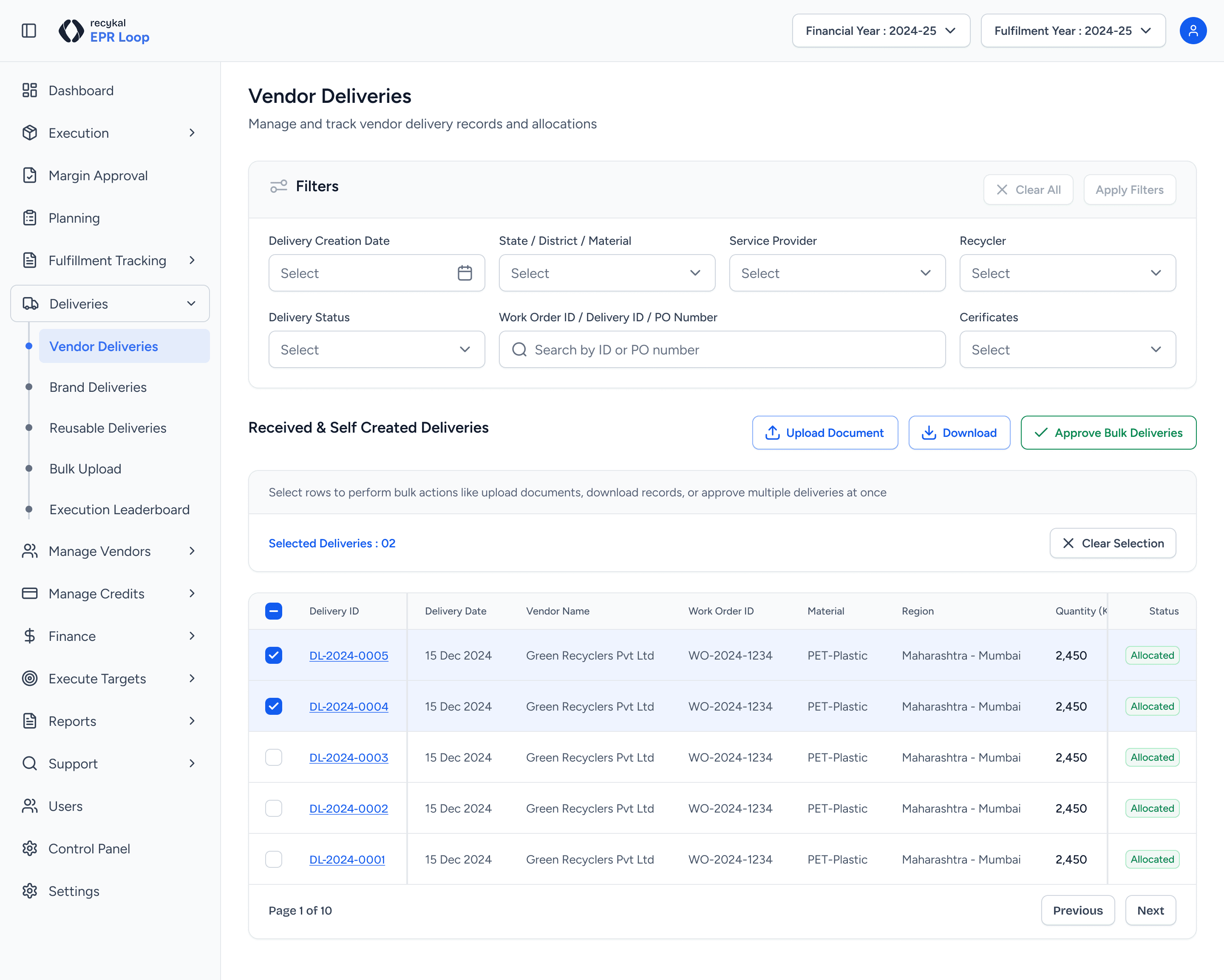
I designed and introduced critical workflows that were missing or broken, these features directly addressed why users were working offline.
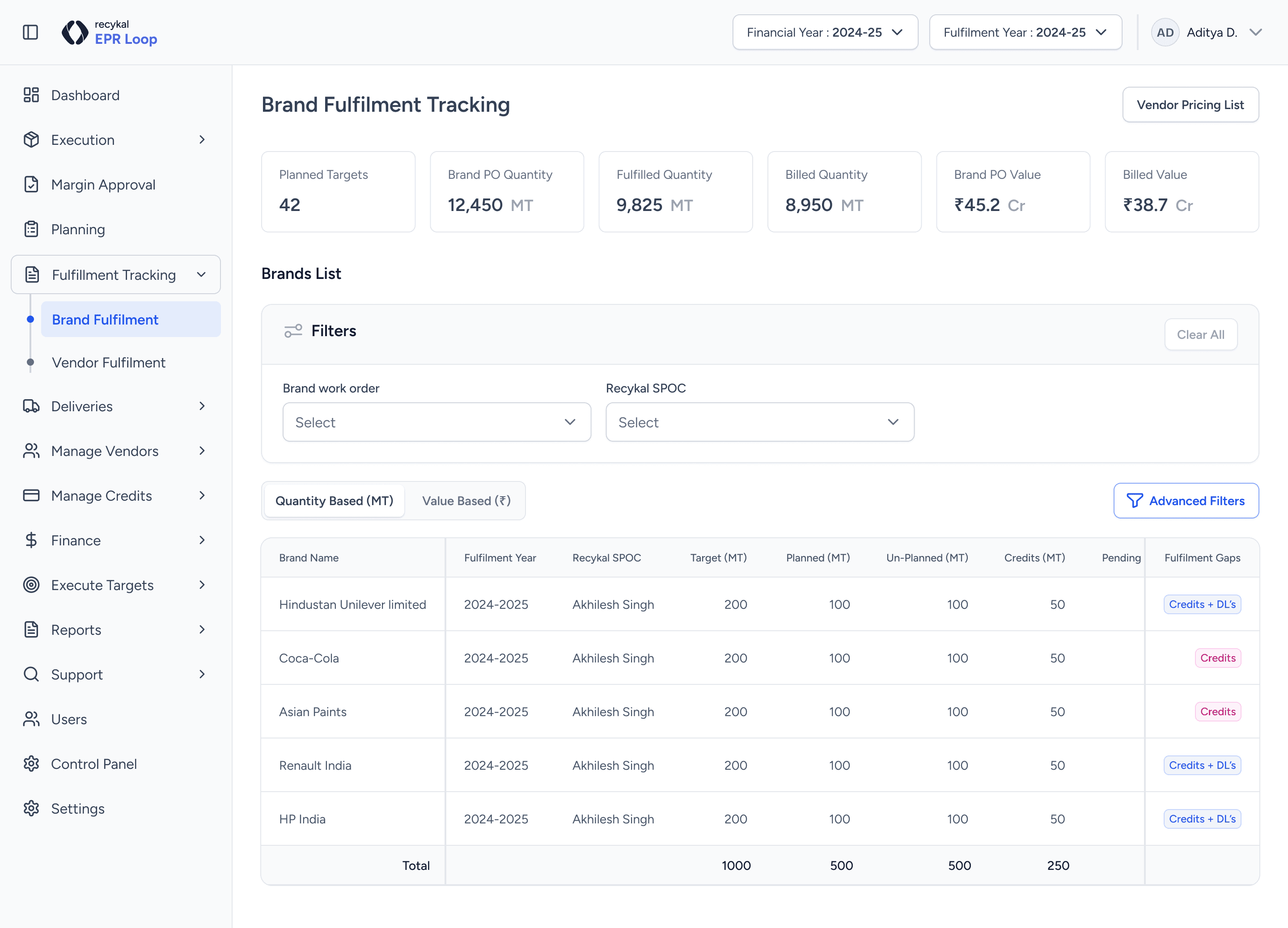
Confidentiality Note
Certain design flows and key screens are omitted due to confidentiality. Detailed walkthroughs can be shared privately.
To reduce manual follow-ups and confusion, I added intelligent notifications and status visibility so the system could guide users instead of relying on memory and manual communication.
Smart Notifications
Automated and custom email triggers for key events
Real-time Alerts
In-app notifications for urgent actions
Status Indicators
Clear visibility for all stakeholders on process state
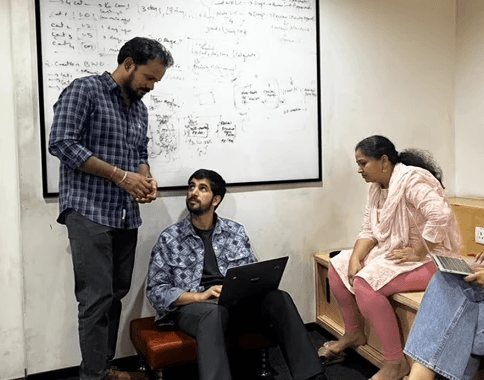
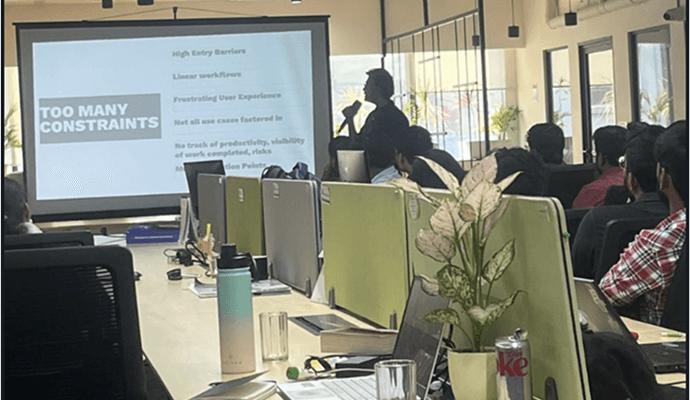
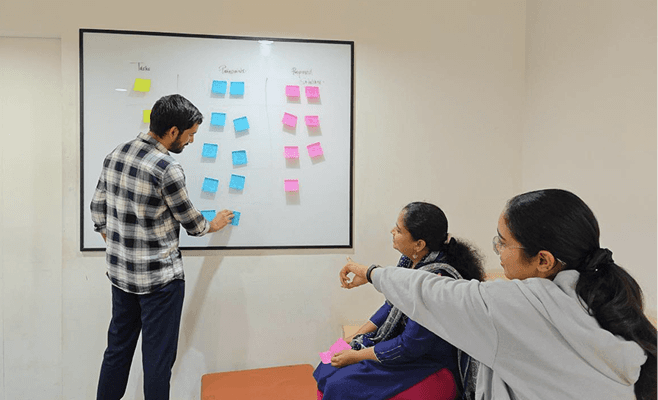
Few clicks from research and brainstorming sessions
(Credits: Recykal)

100%
Platform Adoption
6+
Core Workflows Added
Hours
Saved Per Cycle
Trusted
Source of Truth
Faster decision-making
Inadequate seller validation led to compliance risks and reduced trust in the system.
Improved productivity
Fragmented payment workflows caused misunderstandings and financial planning issues.
Easier onboarding
Sellers lacked real-time shipment tracking, leading to frequent follow-ups.
Stronger compliance
Absence of access controls caused inefficiencies in task delegation.
The product moved from being avoided to being relied upon.
Technical & Systemic
Understanding a deeply broken and complex system
Building a comprehensive design system from scratch
Designing within existing technical constraints and legacy code
User & Process
Changing user mindset toward a previously distrusted platform
Balancing speed of delivery with long-term scalability
Shipping meaningful changes while the product was live
Design is about systems, not just screens
Fixing individual UI elements wouldn't solve the core structural problems. The entire system architecture needed rethinking. Good product design requires understanding how all pieces connect and influence each other.
Understanding real-world workflows is critical
The gap between designed workflows and actual user behavior revealed the true problems. Observation, research, and talking to users was more valuable than any design sprint.
Success requires trust and adoption
Building features isn't enough—users need to believe the system works. Trust is earned through consistency, reliability, and visibility. This is especially true in compliance products where usability and correctness go hand in hand.